Rich Text Editor
A guide to ZeroSort's full-featured editor — formatting, tables, code, math, and embedded visualizations.ZeroSort's editor provides a comprehensive writing experience with rich formatting, embedded media, math equations, and interactive visualizations — all stored as portable Markdown.
Toolbar

The toolbar is organized into seven groups. Each group can be independently shown or hidden in Settings → General.
| Group | Tools |
|---|---|
| History | Undo, Redo |
| Headings | H1, H2, H3 |
| Formatting | Bold, Italic, Underline, Strikethrough, Highlight, Text Color |
| Lists | Bullet list, Ordered list, Task list |
| Block | Blockquote, Inline code, Code block, Horizontal rule |
| Insert | Link, Table, Image, Inline math, Block math |
| Tools | Mermaid diagram, Excalidraw drawing, AI Assist |
Text Formatting
- Bold, Italic, Underline, and Strikethrough apply to any selection.
- Text Color — choose from 12 preset colors or enter a custom hex value.
- Highlight — choose from 12 preset highlight colors or enter a custom hex value.
- Typography — smart quotes, em dashes, and other typographic improvements are applied automatically.
Headings and Structure
Use H1, H2, and H3 headings to build document hierarchy. Add blockquotes for callouts, horizontal rules to divide sections, or links with auto-detection from pasted URLs.
Lists and Task Lists
- Bullet and ordered lists support standard nesting.
- Task lists render interactive checkboxes. Check items off directly in the editor without switching to edit mode.
Tables
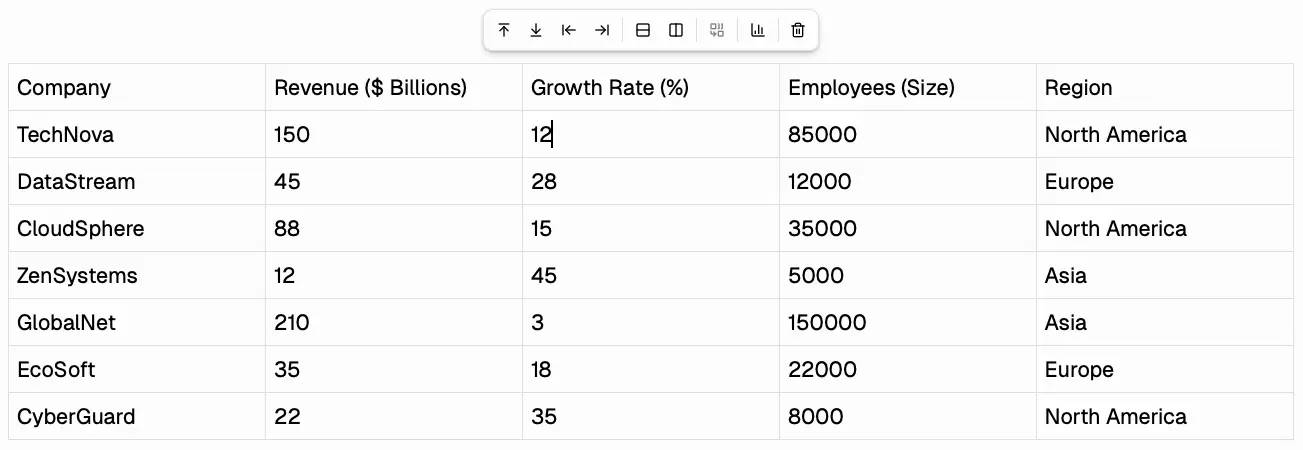
Insert a table from the toolbar. Once inserted, a floating toolbar appears on selection with options to:
- Add or remove rows and columns
- Toggle header rows
- Delete the table
- Generate a chart from the table data using AI (see AI Features)
Columns are resizable by dragging the column border.
Code Blocks
Code blocks support syntax highlighting for 37+ languages via Lowlight. Select the language from the dropdown at the top of the block. Toggle between horizontal scroll and line wrap in Settings → General → Code wrapping.
Math Equations
ZeroSort renders LaTeX math using KaTeX.
- Inline math — wrap expressions in
$...$. Click the rendered equation to edit. - Block math — wrap expressions in
$$...$$for a centered equation block.
Both are inserted from the Insert toolbar group.
Embedded Visualizations
Charts
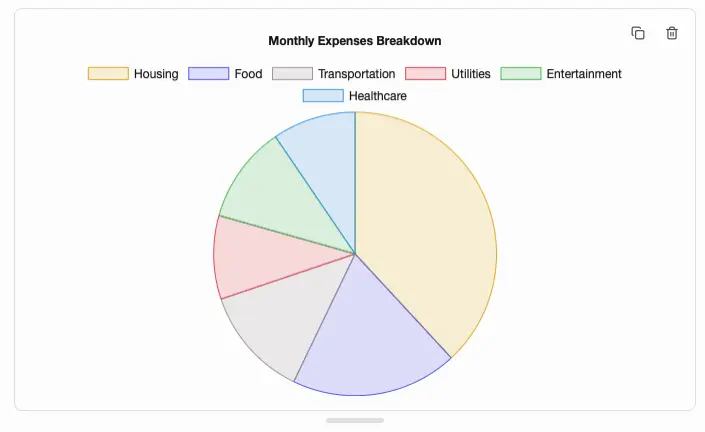
Insert interactive Chart.js charts — Line, Bar, Pie, Radar, and Bubble. Charts are fully interactive and support drag-to-resize handles. You can generate a chart automatically from a selected table using AI.
Mind Maps
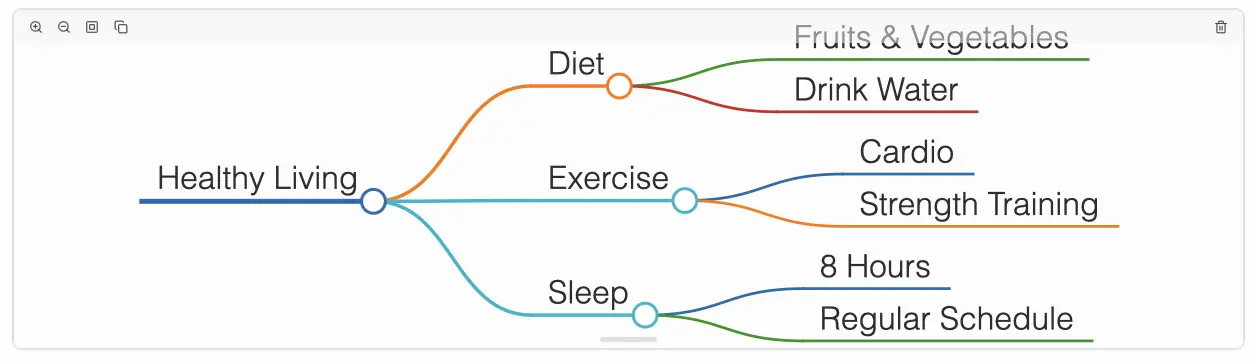
Insert a Markmap-powered mind map written in Markdown. The map renders hierarchically with zoom, pan, and fit-to-view controls.
Mermaid Diagrams
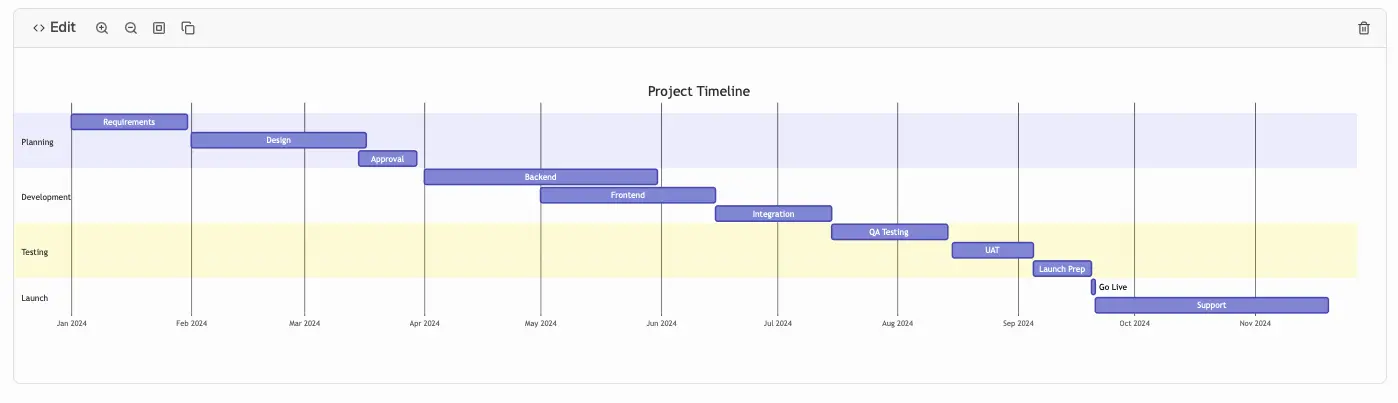
Insert a Mermaid diagram (flowcharts, sequence diagrams, class diagrams, and more). The editor shows a live preview with a toggle to switch between source and rendered view. Syntax errors are displayed inline.
Excalidraw Drawings
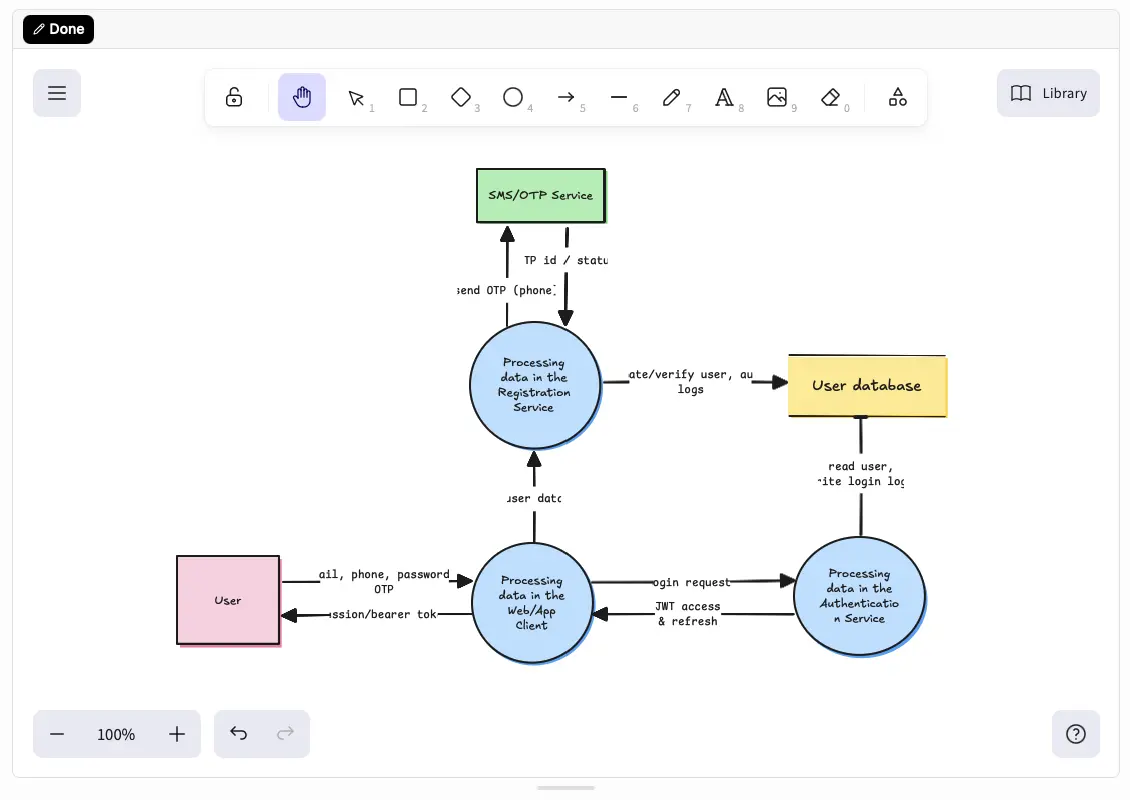
Insert a freehand Excalidraw drawing canvas. Toggle between view and edit modes. Drawings are theme-aware and adapt to light and dark mode automatically.
Images
Paste or insert images from the toolbar. Once embedded, images support:
- Drag-to-resize with aspect ratio preservation
- Toggle between block (full-width) and inline display modes
Markdown Import and Export
ZeroSort uses Markdown as its native storage format. You can:
- Paste Markdown — pasted text is automatically detected and converted to rich content.
- Export — notes export as standard Markdown. Custom node types (charts, mind maps, Mermaid diagrams, drawings) serialize as portable atomic blocks:
:::chart {config="..." height="300"}
:::markmap {content="..." height="300"}
:::mermaidDiagram {content="..." height="300"}
:::excalidraw {sceneData="..." height="500"}
These blocks are preserved when you import notes back into ZeroSort.
Character and Word Count
A character and word count indicator is shown at the bottom of the editor. Toggle visibility in Settings → General → Character count.