Customization
Personalize ZeroSort's appearance, editor toolbar, and layout to fit your workflow.ZeroSort is extensively configurable. From the color theme to which toolbar buttons are visible, most aspects of the app can be tuned to fit how you work.
Theme
Light, Dark, and System
Choose between Light, Dark, or System (auto-detect) in Settings → General → Theme. System mode follows your OS appearance setting and switches automatically.
Color Presets
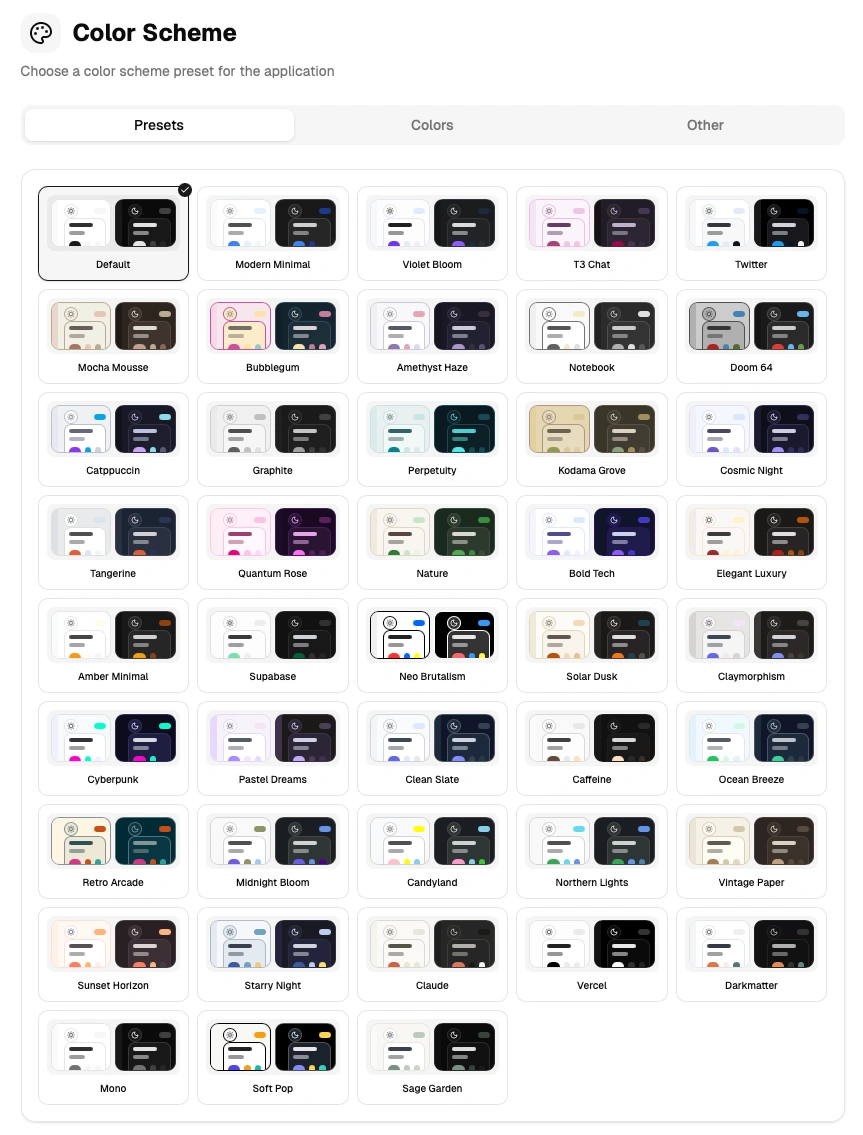
ZeroSort ships with 40+ built-in color presets. Select one in Settings → Color Scheme → Presets to instantly apply a new accent palette.
Custom Theme
You can fine-tune the theme beyond the presets using HSL controls:
- Hue shift — rotate the color wheel to change the accent hue
- Saturation — increase or decrease color saturation
- Lightness — brighten or darken the overall palette
Shadow and shape controls are also available:
| Control | Range |
|---|---|
| Border radius | 0 – 5 rem |
| Spacing | 0.15 – 0.35 rem |
| Shadow color | Custom color picker |
| Shadow opacity, blur, spread, offset | Individual sliders |
Theme changes take effect with a smooth circular reveal animation.
Interface Scale
Adjust the overall UI scale from 75% to 150% in Settings → General → Interface Scale. This scales the entire interface — sidebar, note list, and editor — making ZeroSort comfortable on both small and large screens.
Content Scale
Set the editor content size independently of the interface scale. Options are: sm, base, lg, xl, 2xl. Find this in Settings → General → Content Scale.
Editor Toolbar
The toolbar is divided into seven groups. Toggle each group on or off individually in Settings → Editor → Toolbar groups:
| Group | What it controls |
|---|---|
| History | Undo and Redo buttons |
| Headings | H1, H2, H3 |
| Formatting | Bold, Italic, Underline, Strikethrough, Highlight, Color |
| Lists | Bullet, Ordered, and Task lists |
| Block | Blockquote, Code, Code block, Horizontal rule |
| Insert | Link, Table, Image, Math |
| AI & Drawing | Mermaid, Excalidraw, AI Assist |
Turn off groups you don't use to keep the toolbar minimal.
Code Wrapping
Toggle whether code blocks scroll horizontally or wrap to the next line in Settings → General → Code wrapping.
Sidebar and Layout
- The sidebar is collapsible — click the toggle button or use the keyboard shortcut to hide it and maximize editor space.
- Panels are resizable by dragging the divider between the sidebar, note list.
- Panel sizes persist across sessions.
- On smaller screens, the sidebar opens as a drawer overlay instead of a persistent panel.
Language
ZeroSort is available in English, Chinese (Simplified), German, Spanish, and French. Change the language in Settings → General → Language. All interface text and AI-generated content switch to the selected language.